
Reserve a Space
Are you looking for a place to host your next event or meeting? Consider reserving a space in the Plemmons Student Union. Whether you are hosting a small club meeting or a large reception, we have multiple rooms and various setup options to choose from that can likely accommodate your needs. Be sure to review our policies for important information on reserving and using space in the Plemmons Student Union before making a reservation.
Consider your accommodation needs
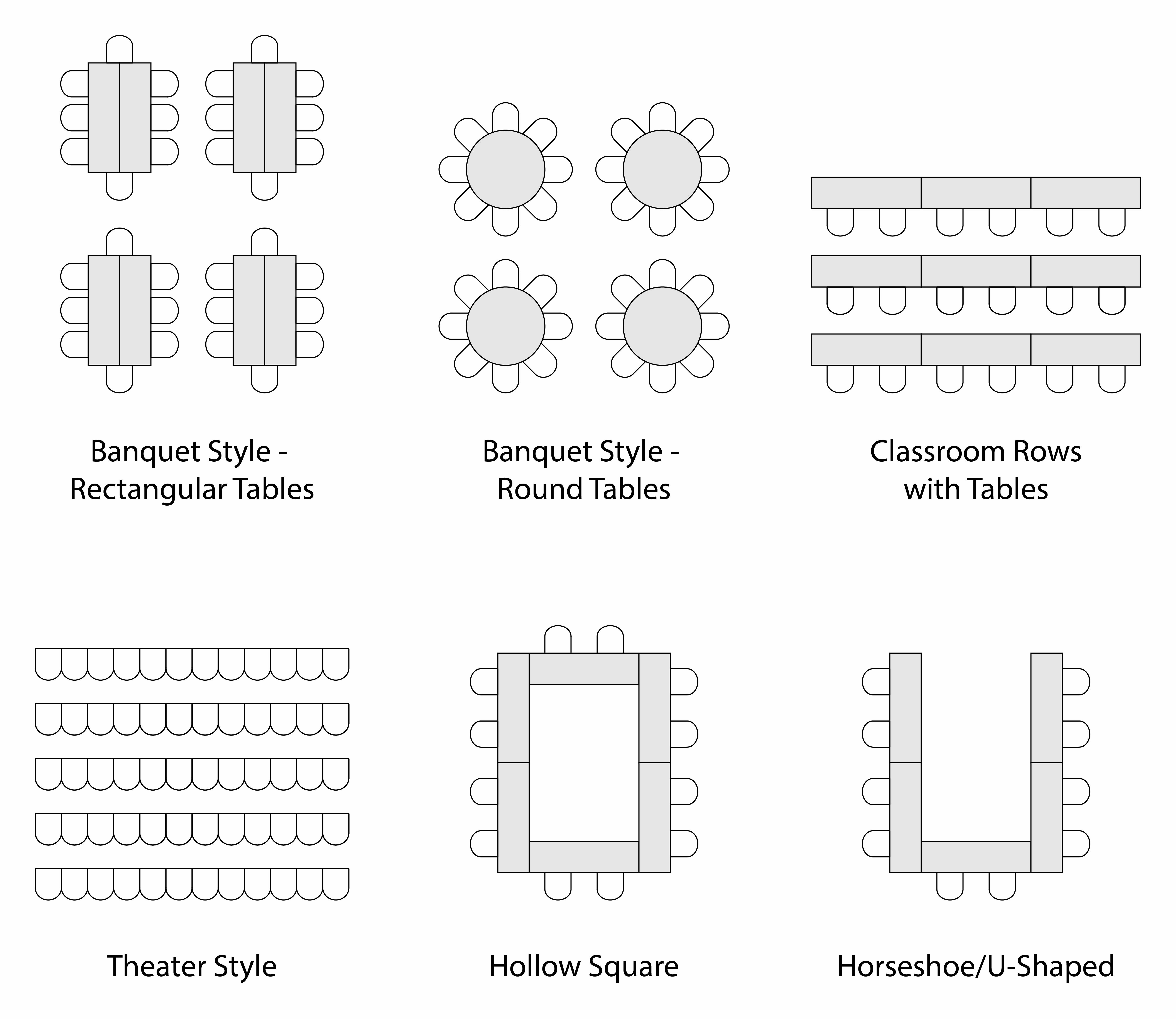
To get started, consider how many people you need to accommodate and what room setup you will need. We offer different types of layouts depending on the room you select. You can see each room’s available setups and capacities on its details page in 25Live. Consider the diagram below when choosing your room setup. You can also look through our various event and meeting room spaces for a visualization of each room.
Check room availability
Once you have determined what you need from your room, you should make sure that room is available on the day of your event. With so many meetings and events occurring each day in the PSU, we strongly recommended checking room availability before making a reservation request as our rooms can get booked quickly.
Make a reservation request
Note: Submitting a request does not confirm your reservation. Your request will be reviewed and you will be notified if your reservation is approved or denied.
If you need help making a reservation, access our how-to guide that will walk you through the basics of requesting a meeting or event space in 25Live. For questions about PSU policies, hours, etc. please contact the PSU Scheduling Office at 828-262-3032 or studentunion@appstate.edu. For 25Live-related questions and troubleshooting issues, please contact the University Events Scheduling and Communications.
Pay a reservation fee
You may be asked to pay a reservation fee after requesting a space for your next meeting or event. Please do not delay in making your payment. You can pay your reservation fee online once your reservation request is submitted.